
TECH
SFM Compile: Exploring the Process, Common Errors, and Best Practices

 SFM Compile, also known as sfmcompile, is a vital process in Source Filmmaker (SFM) that ensures animations, models, and textures are properly formatted for use in the Source Engine. This step involves compiling various assets—such as textures, 3D models, and animations—into a final, optimized format suitable for rendering.
Whether you’re working on a cinematic project or a game-ready model, mastering sfm compile is essential for achieving smooth performance and high-quality visuals within SFM.
What is SFM Compile?

In Source Filmmaker (SFM), sfm compile refers to the process of converting raw assets into a Source Engine-compatible format. This step is necessary to ensure all models, textures, and animations function correctly within the SFM environment. The key compilation processes include:
Compiling Models – Converting 3D models into .MDL format for use in SFM
Compiling Textures – Transforming image files into .VTF format for proper rendering
Compiling Animations – Processing motion data into playable sequences
Rendering Scenes – Exporting animations as high-quality videos
This process is essential for ensuring that assets work as intended and that final animations appear polished and professional.
Common SFM Compiles Errors and Fixes
1. “SFMCompile Failed” Error
One of the most common and frustrating issues in SFMCompile is the generic “SFMCompile Failed” message. This error typically occurs due to missing files, incorrect file paths, or incompatible formats.
Fix:
Ensure all required files (textures, models, animations) are present
Check for typos in file paths and verify directory structure
Confirm that you are using SFM-supported file formats
2. Textures Not Appearing After Compilation
After running sfmcompile, textures may sometimes fail to load, appearing as pink and black checkered patterns. This issue usually stems from incorrect texture references or missing conversions.
Fix:
Verify that textures are correctly referenced in the .QC file
Convert texture files into .VTF format using VTFEdit
Ensure textures are placed in the correct directory (e.g., materials/models/your_model/)
3. “Error: Model Not Found” After SFM Compile
If your model doesn’t load after compilation, it could be due to incorrect model paths or missing materials.
Fix:
Check the .QC file to ensure correct directory references
Verify that the compiled .MDL file exists in the models/ directory
Re-run sfm compiles with the correct file dependencies
4. Crashes During SFM Compile
SFM can crash during the compile process due to memory limitations, large model sizes, or outdated drivers.
Fix:
Reduce model complexity (lower polygon count if necessary)
Allocate more virtual memory to Source Filmmaker
Update GPU drivers and ensure your system has enough RAM
Best Practices for Successful SFM Compile
1. Organizing Your Files Properly
A structured directory helps prevent errors. Follow this folder structure:
models/your_project/
textures/your_project/
sounds/your_project/
2. Using the Correct Export Settings
When exporting models from Blender, Maya, or 3ds Max, ensure:
Models are exported in .SMD or .DMX format
Skeleton and rigging are properly set up
Normals and smoothing groups are correctly applied
Also Read: Understanding VCWeather.org: A Comprehensive Overview of a Powerful Weather Resource
3. Testing Before Final Compilation
Before performing a full SFM compile, test smaller segments to detect errors early.
Tools to test models:
SFM Console – For debugging compilation errors
HLMV (Half-Life Model Viewer) – To preview models before full compilation
4. Optimizing Performance
To ensure smooth performance in SFM, follow these tips:
Keep texture sizes reasonable (2K or 4K max)
Use LOD (Level of Detail) models for improved performance
Avoid unnecessarily high-poly models, especially for background assets
Advanced SFM Compile Tips
Using Crowbar for Model Compilation
Crowbar is a powerful tool that helps with decompiling and compiling Source models. It streamlines the sfm compile process and allows easier adjustments.
Automating SFM Compile with Scripts
If you frequently compile models, batch scripts can automate repetitive tasks. Example script:
This script automates model compilation, reducing manual effort.
Troubleshooting SFM Compile Logs
Always check log output when sfm compile fails. Logs provide valuable details on:
Missing files
Syntax errors
File path mismatches
Reading the logs can quickly identify and fix issues before they cause further complications.
Conclusion
Mastering sfm compile is essential for anyone using Source Filmmaker (SFM), whether for game mods, cinematic animations, or machinima projects.
By following best practices, troubleshooting common errors, and optimizing performance, you can ensure a smooth workflow and high-quality results in your SFM projects.
FAQs About SFM Compile
1. What is SFM Compile?
SFM Compile refers to the process of converting raw assets (models, textures, animations) into a Source Engine-compatible format for use in Source Filmmaker (SFM). This ensures that all assets function properly and render correctly within SFM projects.
2. Why does “SFM Compile Failed” appear?
This error usually occurs due to:
Missing files (models, textures, or animations)
Incorrect file paths in the .QC file
Unsupported file formats being used
3. How do I fix missing textures after SFM Compile?
If your textures appear as pink and black checkered patterns, follow these steps:
Verify .QC file references are correct
Convert textures into .VTF format using VTFEdit
Place textures in the correct materials/models/your_model/ directory
4. What does “Error: Model Not Found” mean?
This error occurs when SFM cannot locate the compiled model file.
Fix:
Ensure the .MDL file is in the models/ directory
Check the .QC file for correct model path references
Re-run sfm compile with all required dependencies
5. Why does SFM crash during compilation?
Crashes can happen due to:
High-poly models overloading memory
Insufficient RAM or outdated GPU drivers
Incorrect model scaling or export settings
Fix: Reduce model complexity, increase virtual memory, and update drivers.
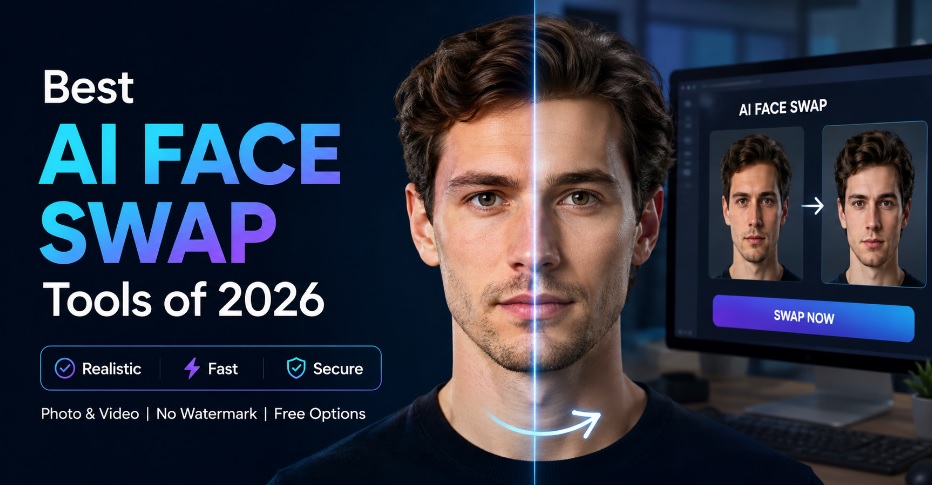
As of 2026, AI face swapping has kind of moved on from a gimmick into something more serious and creative for marketers, content creators, filmmakers, social media managers, and developers. The best platforms, the good ones, can make realistic outputs in seconds, take both photos and video, and then just slip right into the modern content pipelines without much fuss.
After I tested, like, dozens of platforms over several weeks, I noticed that there really isn’t just one single tool that is the best for everyone. Some people are really good at photo swaps, others do video production instead, and a few bring the whole creative suite, sort of like one package that combines AI face swap tech with video generation, image editing lip syncing and automation tools. To make it easier to decide, I sort of narrowed it down to ten tools that kept giving the best results, over and over.
Best AI Face Swap Tools at a Glance
| Tool | Best For | Photos | Videos | Free Plan | Platform |
| Magic Hour | Overall Best Choice | Yes | Yes | Yes | Web |
| Akool | Marketing Teams | Yes | Yes | Limited | Web |
| Remaker AI | Quick Photo Swaps | Yes | Limited | Yes | Web |
| Pica AI | Social Media Content | Yes | No | Yes | Web |
| Face Swapper | Simple Face Replacements | Yes | No | Yes | Web |
| DeepSwap | Entertainment Content | Yes | Yes | Limited | Web |
| Reface | Mobile Users | Yes | Yes | Yes | iOS, Android |
| Vidnoz | Business Videos | Yes | Yes | Yes | Web |
| SwapFace | Live Streaming | Yes | Real-Time | Limited | Desktop |
| Mango AI | AI Video Creation | Yes | Yes | Yes | Web |
1. Magic Hour
Magic Hour grabs the top spot because it gives way more than just a standalone face swap tool. During testing, it kept producing some of the most realistic face replacements across both images and videos, while still feeling beginner-friendly, which is kinda important.
What stood out the most was how quickly people can move from one creative task to the next. Instead of just bouncing around between several apps, creators seem able to stitch face swapping, talking photos, image creation, video generation, editing, and animation together, all inside one kind of linked ecosystem, so it feels less like jumps, and more like one continuous flow.
Pros
- Extremely realistic face swap quality
- Supports both image and video face swaps
- No signup required to test features
- Credits never expire
- Generous free tier
- Fast processing speeds
- Mobile and desktop friendly
- Frequent feature releases
- Access to multiple advanced AI models
- Strong workflow automation options
Cons
- Advanced users may need time to explore all available features
- Some premium features require a paid plan
If you’re making content on a regular basis, this is the platform I’d say you should try first. It sort of hits a sweet spot between quality, speed, flexibility, and affordability, better than most other competitors. People who are building video production workflows will, in particular, feel the advantage of the integrated toolset; it just works.
For teams that put out social media content, advertising creatives, or influencer campaigns, the built-in AI lip sync generator capabilities bring a lot to the table. It helps turn static material into more engaging video assets without needing extra software, and that’s a pretty big deal.
Pricing
- Free Plan Available
- Creator: $15/month
- Creator Annual: $10/month billed annually
- Pro: $39/month
2. Akool
Akool has been getting a lot of notice from marketers and enterprise folks, largely due to its focus on AI-powered content making and a sort of personalization loop that feels… really tuned in. The platform kind of blends face swapping with avatar creation, plus video generation and localization tools. When we did some testing, the final video outputs were mostly impressive, especially for marketing campaigns, and that part stood out right away.
Pros
- Strong video-focused features
- Good enterprise capabilities
- Supports multiple content formats
- Useful for marketing teams
Cons
- Learning curve for new users
- Premium plans can become expensive
Akool works best for organizations managing larger-scale campaigns. If your goal is personalized video marketing, it deserves serious consideration.
Pricing
- Free trial available
- Paid plans available through subscription tiers
3. Remaker AI
Remaker AI has turned into one of the more popular, browser-based face swap tools because it delivers quick results with little to no setup, as you start and then boom. The interface feels simple, sort of straightforward—so it works well for creators who want quick edits without hopping through complicated dashboards.
Pros
- Easy to use
- Fast image processing
- Free options available
- Good image quality
Cons
- Limited video capabilities
- Fewer advanced controls
If your primary use case involves swapping faces in photos rather than videos, Remaker AI is a strong option.
Pricing
- Free tier available
- Credit-based premium plans
4. Pica AI
Pica AI really leans into creative image editing, and like social media content production too. The face swap technology works well across portraits, profile pictures, and even promotional graphics, so it looks pretty good, depending on what you feed it. When we did testing, the outcomes seemed natural in most lighting conditions, though sometimes it can get a bit inconsistent. Overall, it feels designed for fast, visual outputs rather than anything complicated.
Pros
- User-friendly interface
- Good image quality
- Useful social media templates
- Fast rendering
Cons
- No major video focus
- Advanced editing options are limited
Pica AI is ideal for influencers, content creators, and small businesses creating visual assets for online platforms.
Pricing
- Free option available
- Premium subscriptions offered
5. Face Swapper
Face Swapper stays pretty straightforward. You upload images, you pick the faces, and then it generates results quickly, like without too much back and forth.
It also doesn’t really bring that wider creative ecosystem you see in the more premium competitors, but honestly it works well enough for people who just need a basic face swap and nothing more, at least most of the time.
Pros
- Very simple workflow
- Beginner friendly
- Quick processing
- No complex setup
Cons
- Limited features
- Mostly focused on photos
For casual users and marketers producing occasional visual assets, Face Swapper remains a practical solution.
Pricing
- Free usage available
- Premium upgrades available
6. DeepSwap
DeepSwap has built a bit of a name for realistic face replacements inside videos. In testing, the video outputs mostly looked convincing, especially when it came to entertainment and social media kinds of scenarios.
Pros
- Strong video support
- Realistic facial integration
- Good rendering quality
- Multiple content formats
Cons
- Subscription costs may add up
- Interface could be more intuitive
If your projects rely heavily on video content, DeepSwap deserves consideration.
Pricing
- Subscription-based plans
- Limited free access
7. Reface
Reface helped sort of bring face swapping into the mainstream audience, and it still feels like one of the most recognized mobile applications in that category. The mobile-first experience makes content creation easier for users who basically work from smartphones, day to day.
Pros
- Excellent mobile experience
- Easy sharing options
- Large template library
- Fast processing
Cons
- Less suitable for professional workflows
- Some features locked behind subscriptions
Reface remains one of the easiest ways to experiment with face swap technology on mobile devices.
Pricing
- Free version available
- Premium subscription plans
8. Vidnoz
Vidnoz sort of combines face swapping with AI video generation tools that are meant for business users. The platform kind of emphasizes productivity and business communication, so it becomes pretty attractive to organizations that are making training, sales, and marketing videos.
Pros
- Business-oriented features
- AI avatar support
- Video generation tools
- Free plan available
Cons
- Less specialized for face swapping
- Enterprise features may overwhelm beginners
Vidnoz is particularly useful for companies seeking scalable content creation solutions.
Pricing
- Free plan available
- Paid subscription tiers
9. SwapFace
SwapFace has a kind of different angle; it is more about real-time face swapping, and not so much about the usual workflow. That feature tends to hit streamers, live content creators, and people who host virtual events because they actually need the output right away, instead of waiting for post-production editing, you know.
Pros
- Real-time face swapping
- Streaming integrations
- Low-latency performance
- Innovative workflow
Cons
- Requires capable hardware
- Niche use cases
For creators working in live environments, SwapFace offers capabilities that many competitors simply don’t provide.
Pricing
- Limited free access
- Premium licensing options
10. Mango AI
Mango AI has expanded really fast, sort of by giving lots of AI-powered creative tools under one platform, and it makes sense. The face swap features they have link in pretty smoothly with wider video production workflows, so it tends to be handy for content teams who are trying to move faster or keep things together.
Pros
- Comprehensive AI toolkit
- Video-focused features
- Beginner friendly
- Good automation options
Cons
- Face swapping isn’t its primary focus
- Quality can vary depending on content type
Mango AI is worth exploring if you’re looking for a broader content creation suite rather than a dedicated face swap platform.
Pricing
- Free plan available
- Paid plans available
How I Chose These Tools
To evaluate these platforms fairly, I tested them across multiple categories:
- Face swap realism
- Video support
- Processing speed
- Ease of use
- Output consistency
- Free plan value
- Pricing transparency
- Workflow flexibility
I uploaded portrait photos, group photos, social media images, and short-form video clips to each platform, and I also kind of evaluated how well each tool dealt with lighting changes, facial expressions, skin tones and motion. For the tools that ended up at the top, the results looked the most realistic, and they stayed pretty easy to use, not to mention they were still reasonably priced.
The AI Face Swap Market in 2026
The market has changed pretty dramatically over the past year, like honestly. Face swapping is no longer just a standalone feature, not by a long shot. The strongest platforms now seem to bundle face swapping together with image generation, and then also video editing, talking photos, animation, voice tools, and creative automation all in one place.
Another trend to keep on your radar is workflow consolidation: you know the idea where everything gets pushed into one smoother stream. Creators are increasingly choosing platforms that combine multiple tools into one environment instead of hopping between separate applications. And yeah, we’re seeing noticeable improvements in realism. Facial expressions, skin textures, and movement tracking have stepped up a lot compared to earlier generations of AI models. Lastly, accessibility keeps moving forward , it’s kind of wild. A bunch of the top tools now come with free plans, browser based workflows and even mobile support, which makes advanced creative tech reachable for way more people than before.
Which Tool Should You Choose?
Different creators have different needs. If you are trying to find the strongest kind of all-around platform with really solid face swap quality, plus integrated creative tools, good pricing, and workflows that feel more future-focused, Magic Hour kinda stands out as the best overall pick.
If your main thing is enterprise marketing, then Akool offers useful business capabilities. For quick image editing, Remaker AI and Pica AI are great options. When video content is what you care about most, DeepSwap and Vidnoz deserve a real look. And if you are more mobile-first, Reface still remains one of the easiest places to start, honestly.
Frequently Asked Questions
What is the best AI face swap tool in 2026?
Magic Hour is one of the best AI face swap tools in 2026 thanks to its realistic results, video support, and generous free plan.
Which AI face swap tool has no watermark?
Some tools offer no-watermark outputs on select plans, but availability varies depending on the platform and subscription tier.
Can AI face swap tools work with videos?
Yes, many modern AI face swap tools support both photo and video face swapping with realistic results.
Are AI face swap tools safe to use?
Yes, reputable platforms are generally safe when used responsibly and with proper consent.
What should creators look for when choosing a face swap tool?
Creators should compare realism, video support, speed, pricing, ease of use, and free-plan features before choosing a tool
Final Takeaway
AI face swap tech has, kind of, moved past the early hype, and now it feels like a real creative tool for pros. Whether you’re building social media campaigns, marketing videos, digital ads, or even creator-style content, there are genuinely solid options out there for every budget range. After a lot of testing, Magic Hour is still the one I’d say you should try first, because it blends strong face-swapping quality with a wider creative ecosystem. That whole setup seems to help people go from idea to finished output faster, with less friction, you know.
Still though, everybody’s workflow is different. So, try a few platforms, run comparisons on your own projects, and pick the one that matches your goals, your budget, and the general content strategy in a way that feels kinda right for you.

The term Anonposted is unusual because it does not point to one simple, clearly defined product across the internet. Instead, it appears in different contexts depending on where you look. Some public results connect it directly to the live domain anonposted.com, which currently appears under the name “Anon Vault” and seems focused on paid memberships, forum access, and adult-oriented content. At the same time, other blog-style pages use Anonposted in a broader way, describing it as an anonymous posting or anonymous review platform where people can leave comments, opinions, or experiences without revealing who they are.
That difference matters a lot. A person searching for Anonposted may be trying to understand the current website, looking for information about an anonymous review platform, or simply exploring the broader idea of anonymous posting online. Because of that, any useful article on the topic needs to be careful. It should explain that the keyword has mixed search intent instead of pretending there is one fully confirmed and widely documented platform behind every mention of the term.
In the safest and most practical sense, Anonposted can be understood in two ways. First, it refers to a real, active domain. Second, it is also used more loosely in secondary online articles as a label for anonymous posting, anonymous reviews, and privacy-based sharing. That overlap is exactly what makes the keyword confusing and interesting at the same time.
Why People Search for Anonposted
The reason people keep searching for Anonposted connects to a much bigger trend on the internet: the desire for privacy. Many users want to share thoughts, reviews, criticism, or personal experiences without putting their real identity next to what they say. Anonymous spaces can feel more open because they reduce social pressure and public judgment.
This is not a new idea. Anonymous posting has existed for years on forums, message boards, and community sites where users either post without a profile or use temporary identities. The appeal is easy to understand. People often feel more comfortable speaking honestly when their name, image, or public reputation is not attached.
That broader pattern helps explain why the Anonposted keyword keeps gaining attention. Even when different websites describe it differently, the central idea stays consistent. People are looking for spaces where they can express themselves more freely than they usually can on traditional social media.
What the Current Anonposted Website Seems to Be
One important part of understanding this keyword is recognizing that the live website and the secondary write-ups do not always match. Based on the visible public result, anonposted.com currently appears as Anon Vault, and the presentation suggests something narrower than a typical anonymous posting platform. The site preview points more toward membership-based access, forums, archives, and adult-focused material than toward a general-purpose anonymous feedback or review service.
That creates confusion because many articles online talk about Anonposted as if it were mainly a neutral site for anonymous communication. The current website presentation does not fully support that simple description. This mismatch may exist for several reasons. The site may have changed over time, older articles may still be circulating, or some writers may be using the keyword as a broad concept instead of referring only to the live domain.
Whatever the explanation, readers should understand one thing clearly: the keyword Anonposted is not as straightforward as it first seems.
How Blogs and Secondary Sources Describe Anonposted
Many blog-style articles describe Anonposted as a place where users can post anonymously about products, services, workplaces, schools, or personal experiences. Some frame it as an anonymous review system. Others describe it as a platform for confessions, open discussion, or hidden opinions. A few treat it as a privacy-first communication space where people can share without fear of exposure.
The problem is that these descriptions do not always line up with one another. One article may focus on reviews and ratings. Another may talk about anonymous discussion. A third may emphasize privacy and community feedback in a more general way. Since these are usually secondary summaries rather than official documentation, they should be read carefully.
This inconsistency is the main reason why it is better to explain Anonposted in cautious terms. It is more accurate to say the keyword is associated with anonymous posting and feedback than to make strong claims about exact features that are not clearly verified by a primary source.
The Main Idea Behind Anonposted
Even with all the ambiguity, the general meaning attached to Anonposted is still fairly easy to understand. The keyword is commonly linked to the idea of posting anonymously. In practical terms, that usually includes things like:
sharing a review without using a real identity
posting a private opinion or message
talking about a sensitive topic with less fear of judgment
reading anonymous comments from other users
These themes appear repeatedly in the way people write about the term online.
That is why the keyword keeps showing up in search results. It taps into a real need. Many users do not want every thought they share to be linked to their public profile. Anonymous systems can feel safer for certain kinds of discussions, especially when the topic is personal, controversial, or potentially embarrassing.
Why Anonymous Platforms Appeal to Users
Anonymous posting platforms attract attention because they offer something many mainstream platforms do not: distance between the person and the post. That distance can create comfort. Someone may be more willing to leave an honest review, describe a bad experience, share a difficult opinion, or talk about a personal issue when they do not have to reveal who they are.
This can be especially useful in situations involving work, education, relationships, products, or social pressure. A user might want to describe a negative employer experience or talk about a sensitive issue without risking embarrassment or retaliation.
That is why people often connect Anonposted with privacy, honesty, and free expression. Even when the exact platform details remain unclear, the attraction of anonymous posting is easy to understand.
The Benefits Commonly Linked to Anonposted
When people talk positively about Anonposted-style platforms, they usually focus on a few major advantages.
The first is privacy. Users feel protected when they do not have to attach their name to what they say.
The second is honesty. Anonymity can encourage more direct feedback because users feel less pressure to protect their public image.
The third is freedom of expression. People are often more willing to discuss difficult or unpopular topics when they are not speaking under their real identity.
These benefits are not unique to one site. They are part of the broader appeal of anonymous communication in general. That is why the keyword continues to surface in conversations about digital privacy and open feedback.
The Downsides and Risks
At the same time, anonymous posting has clear drawbacks. The same lack of identity that makes people feel freer can also reduce accountability. Users may post false claims, exaggerations, harassment, spam, or abusive content because they know they are harder to trace.
This is one of the biggest concerns with Anonposted-style systems. Anonymous content can sometimes be honest and revealing, but it is not automatically reliable. Without moderation, fact-checking, or trust signals, readers may struggle to know what is genuine and what is misleading.
There is also the issue of source confusion. When a keyword like Anonposted is used inconsistently, readers may not know whether they are researching a live website, a general anonymous-posting concept, or an article written mainly to capture search traffic. That makes careful reading especially important.
Is Anonposted a Real Platform?
The best answer is yes — but with an important clarification.
Anonposted.com is a real, active domain. So in that sense, Anonposted is real. However, the broader explanations found across the internet do not all describe the same thing in the same way. Some treat it like a review site. Some treat it like an anonymous posting community. Others use it more loosely as a privacy-based content platform.
Because of that, it is better to think of Anonposted as a mixed-intent keyword rather than a perfectly defined brand with one universally agreed purpose.
Why the Keyword Feels So Confusing
The confusion comes from the gap between the live domain and the secondary descriptions. If all public sources described the same product in the same way, the keyword would be simple. But that is not what happens here. Instead, the website, blogs, and explainers point in overlapping but not identical directions.
That means different users may be searching for different things under the same keyword. One person may want the actual site. Another may want to understand anonymous reviews. Another may want a general explanation of privacy-first posting.
That layered search intent is what makes Anonposted more complex than it first appears.
Final Thoughts
The keyword Anonposted is best understood as a term with blended meaning. On one side, it connects to a real domain that currently appears to operate under the name Anon Vault. On the other side, it is widely used in secondary articles to describe anonymous posting, anonymous discussion, and anonymous review-style platforms more generally.
For that reason, readers should approach the topic carefully. If the goal is to understand anonymous posting as a broader digital trend, the Anonposted keyword points toward privacy, openness, and unfiltered communication. But if the goal is to understand the current live website specifically, the public presentation suggests something more specific and not identical to the generic anonymous-review explanations found elsewhere.
That is why Anonposted keeps attracting attention. It combines privacy, curiosity, anonymous communication, and search confusion all in one keyword.
FAQs About Anonposted
What is Anonposted?
Anonposted is a keyword used in more than one way online. Some pages describe it as an anonymous posting or review platform, while the live domain currently appears to present something different.
Is Anonposted a real website?
Yes, anonposted.com is a real active domain.
What is Anonposted used for?
In many secondary articles, it is described as a place for anonymous posting, reviews, or feedback.
How does Anonposted work?
Most explanations say users can post anonymously and sometimes read or react to anonymous content, although the exact feature set is not clearly confirmed by official public documentation.
Is Anonposted safe?
That depends on moderation, privacy handling, and how the platform manages abuse. Anonymous platforms can help users speak more freely, but they can also create risks.
Why do people use platforms like Anonposted?
People often use anonymous systems to share honest thoughts, reviews, or sensitive experiences without attaching their real identity.
Can users leave anonymous reviews on Anonposted?
Some public articles describe it that way, though those claims often come from secondary sources rather than official product materials.
What are the main benefits of Anonposted-style platforms?
The main benefits are privacy, freer expression, and the ability to share feedback more openly.
What are the main risks of Anonposted-style platforms?
The biggest risks include weak accountability, misleading content, harassment, spam, and difficulty verifying anonymous claims.
Why is the Anonposted keyword so confusing?
Because the live site and many secondary articles do not describe exactly the same thing, which gives the keyword mixed meaning online.

In today’s digital landscape, mobile applications have become an essential part of everyday life. From entertainment and communication to content creation and media sharing, people rely on mobile apps for almost everything. Among the growing number of digital platforms, the DualMedia has gained attention as a flexible and modern media platform designed for smartphone users.
This application mobile dualmedia article explores the purpose, features, benefits, and potential uses of the DualMedia mobile application. Whether you are someone who enjoys exploring new apps or a user looking for a convenient media-sharing platform, understanding how DualMedia works can help you decide if it fits your digital needs.
Mobile technology continues to evolve rapidly, and applications that combine multiple media functions into a single interface are becoming increasingly popular. DualMedia is part of this growing trend, aiming to provide users with a seamless and engaging mobile experience.
What Is the DualMedia Mobile Application?
The DualMedia is a modern mobile platform designed to support various types of media interaction within one application. Instead of requiring users to switch between multiple apps to share images, watch videos, or communicate with others, DualMedia attempts to bring these features together.
The main idea behind the platform is integration and simplicity. Many mobile users find it inconvenient to manage several apps for different types of media activities. DualMedia addresses this challenge by providing a unified platform where users can handle multiple forms of content.
This application mobile dualmedia article highlights how the platform simplifies digital interaction and why integrated apps are becoming more popular in the modern mobile ecosystem.
The Growing Importance of Mobile Media Applications
The demand for media-focused mobile applications has increased significantly over the past decade. Smartphones have become the primary devices for browsing the internet, watching videos, and sharing digital content.
Several factors contribute to the rise of these applications:
1. Convenience and Accessibility
Mobile apps allow users to access information and entertainment anytime and anywhere. With just a few taps, users can open a platform and instantly interact with content.
2. Instant Content Sharing
Sharing media has become a central part of digital communication. Images, short videos, and multimedia posts are now common forms of online expression.
3. Community Interaction
Modern apps encourage users to connect with others through comments, reactions, and discussions.
4. Integrated Features
Instead of downloading many different applications, users prefer platforms that combine multiple functions. This is where apps like the DualMedia come into play.
By bringing several media tools into a single environment, the platform attempts to simplify the digital experience for users.
Key Features Highlighted in This Application Mobile DualMedia Article
Understanding the features of a mobile application is essential for determining its usefulness. The DualMedia mobile application offers a variety of tools designed to improve how users interact with digital content.
Media Sharing Tools
One of the primary features discussed in this application mobile dualmedia article is the ability to share multimedia content easily. Users can upload images, videos, or posts and distribute them within the platform.
Media sharing is designed to be straightforward so that even users who are new to the platform can participate without difficulty.
Clean and User-Friendly Interface
A simple interface is one of the most important elements of any successful mobile application. The DualMedia focuses on a clean design that prioritizes usability.
Users can quickly navigate through menus, explore content, and access different features without confusion. This makes the platform suitable for both beginners and experienced smartphone users.
Support for Multiple Media Formats
Digital communication today involves various types of content. A platform that supports only one format can feel limiting. DualMedia supports several media types, including:
-
Photos and image posts
-
Short video content
-
Text-based updates
-
Multimedia posts
By supporting multiple formats, the platform allows users to express themselves creatively.
Social Interaction Features
Another important aspect covered in this application mobile dualmedia article is user interaction. Media platforms are not only about content consumption but also about communication.
DualMedia allows users to engage with others through:
-
Comments
-
Reactions
-
Discussions
-
Content sharing
These features create a sense of community within the application.
Fast Content Loading
Speed is a crucial factor in user satisfaction. Mobile users expect content to load quickly without delays. Efficient performance ensures that images, videos, and posts appear smoothly while browsing.
Fast loading times make the overall experience more enjoyable and reduce user frustration.
Benefits of Using the DualMedia Mobile Application
This application mobile dualmedia article would not be complete without exploring the advantages of using the platform.
1. All-in-One Media Platform
Instead of switching between multiple applications, users can access several media functions within a single app.
2. Simplified Digital Experience
The platform’s design focuses on reducing complexity. Users can manage content easily without navigating through complicated menus.
3. Enhanced Communication
Sharing media often leads to conversations. The application supports interaction between users through comments and reactions.
4. Convenient Content Organization
Managing digital content becomes easier when it is stored and organized within one platform.
How DualMedia Fits Into the Modern Mobile Ecosystem
The smartphone market continues to expand, and mobile apps are constantly evolving to meet user expectations. The success of any application depends on how well it integrates with modern digital habits.
The DualMedia aligns with several important trends:
-
Multi-purpose applications
-
Media-focused social interaction
-
Fast and responsive mobile interfaces
-
Simplified content management
These trends reflect the changing ways people use smartphones for both communication and entertainment.
User Experience and Design Philosophy
One of the most noticeable aspects of the DualMedia platform is its design philosophy. The developers appear to focus on simplicity and accessibility.
A well-designed mobile application should allow users to perform tasks quickly without requiring extensive instructions. DualMedia attempts to follow this principle by providing intuitive navigation and clearly labeled features.
This approach ensures that users spend more time interacting with content rather than figuring out how the app works.
Security and Privacy Considerations
When using any digital platform, users naturally want to know that their information is secure. Mobile applications must implement security measures to protect user data.
Platforms like the DualMedia typically address security concerns through several methods:
-
Secure login systems
-
Data protection protocols
-
Privacy settings for shared content
-
Account management tools
These features help maintain a safe environment for users who share personal or creative media content.
Possible Use Cases for the DualMedia Mobile Application
Different users may find different ways to use the platform depending on their interests.
Personal Content Sharing
Individuals may use the application to share everyday photos or videos with friends and family.
Community Engagement
Groups or communities can use the platform to exchange updates and media related to shared interests.
Content Creation
Creative users may post multimedia content to engage with a wider audience.
Digital Communication
Media posts can serve as conversation starters, encouraging interaction among users.
Future Potential of Integrated Mobile Applications
The concept behind the DualMedia reflects a broader shift in mobile technology. Users increasingly prefer apps that combine multiple capabilities rather than focusing on a single function.
Future developments in integrated mobile apps may include:
-
Personalized content recommendations
-
Improved media editing tools
-
Artificial intelligence for content discovery
-
Expanded community features
As technology continues to advance, platforms like DualMedia may evolve to include even more sophisticated capabilities.
Tips for New Users
If you are planning to explore the platform after reading this application mobile dualmedia article, a few practical tips can improve your experience.
First, take time to explore the main features of the application. Understanding how different tools work will make navigation easier.
Second, organize your uploaded media so that it remains easy to manage.
Third, review privacy settings to control who can view your content.
Finally, keep the application updated to ensure you benefit from the latest improvements and features.
Conclusion
This application mobile dualmedia article highlights how modern mobile platforms are evolving to meet the needs of digital users. As smartphones continue to dominate online activity, applications that combine multiple features into one convenient platform are becoming increasingly valuable.
The DualMedia represents this shift toward integrated mobile experiences. With its focus on media sharing, user interaction, and simple design, the platform demonstrates how mobile apps can bring different forms of digital communication together.
While every user has unique preferences when choosing an application, the concept behind DualMedia reflects an important direction in mobile technology—creating simpler, more connected, and more versatile digital environments for modern smartphone users.
FAQs
What is the DualMedia mobile application?
The DualMedia is a digital platform that combines media sharing, communication, and content interaction within a single mobile app.
Why are integrated mobile apps becoming popular?
Integrated apps reduce the need for multiple applications by offering several functions in one place, making the user experience more convenient.
Is DualMedia suitable for beginners?
Yes. The platform is designed with a simple interface that allows users to navigate features easily.
What types of content can users share?
Users can typically share images, videos, and multimedia posts depending on the platform’s capabilities.

A Beginner’s Guide to the World’s Leading Cryptocurrency Exchange

Dental Express Santee: What Patients Should Know Before Choosing a Local Dentist

Best AI Face Swap Tools in 2026 for Realistic Photos, Videos, and Content Creation

anonposted Explained: Features, Privacy, Uses, and What Users Should Know

Who Is Amelia Jane Henson? Everything You Need to Know About Mia Sara and Brian Henson’s Daughter

Who Is Joe Alfie Winslet Mendes? Everything You Should Know About Kate Winslet’s Son
-
 TECH6 months ago
anonposted Explained: Features, Privacy, Uses, and What Users Should Know
-
 CELEBRITY2 years ago
Who Is Amelia Jane Henson? Everything You Need to Know About Mia Sara and Brian Henson’s Daughter
-
 CELEBRITY2 years ago
Who Is Joe Alfie Winslet Mendes? Everything You Should Know About Kate Winslet’s Son
-

 CELEBRITY2 years ago
Rachel Catudal: Everything You Need to Know About Brandon Quinn’s Wife
-

 BUSINESS2 years ago
Who Is Nadia Farmiga? Everything You Need to Know About Vera Farmiga’s Sister
-

 CELEBRITY2 years ago
Matt Danzeisen: The Influential Yet Low-Key Force Behind Peter Thiel’s Success
-

 CELEBRITY2 years ago
Who Is Jasmine Gong? Everything You Should Know About Brad Williams’ Wife
-

 BUSINESS1 year ago
SpeedyShort.com: The Ultimate Tool for Fast & Efficient Link Shortening